
How to Augment and Process Nested Groups (CS4-CS6)
October 22, 2012 | Tips | en
Dealing with groups is a major headache for InDesign scripters. On one hand, the Group object has no injection method to offer, which makes difficult to append existing page items into a given group. On the other hand, although the Groups API exposes a promising add() method, nobody has ever managed to use this feature from any PageItem.groups area, so we seem doomed to perpetually rebuild groups from scratch.
“ScriptUI for Dummies” (2.0)
September 27, 2012 | Extras | en | fr
My colleague and friend, Peter Kahrel, just put online the version 2.0 of his great eBook, “ScriptUI for Dummies”, a free PDF which teaches us everything about designing and scripting user interfaces based on the Adobe CS ScriptUI module.
The Shortest-Ever Aphorism Generator
September 12, 2012 | Tips | en
As an InDesign scripter, you probably know that PageItems, Paragraphs—or any other collection—exposes a method named anyItem() which randomly digs up a sample in the set. The only question is: what the hell can it be used for?
InDesign Scripting Forum Roundup #3
July 19, 2012 | Snippets | en
Here is the third episode of the Scripting Forum Roundup(s), a selection of 18 recommended discussions and sample codes which I have contributed to over the last six months. Enjoy!
HurryCover 2 | Book Covers and Dust Jackets Made Easy
July 03, 2012 | HurryCover | en | fr
24-May-2024 OUTDATED POST. Please, go to the main product page for further details.
IndyFont | Build OpenType Fonts from within InDesign!
June 25, 2012 | IndyFont | en | fr
Theunis de Jong—aka Jongware—announces today the most spectacular script I have ever ran. IndyFont (for InDesign CS4, CS5+, and CS6) allows you to save any set of vector arts as a “real, true, valid OpenType font”…
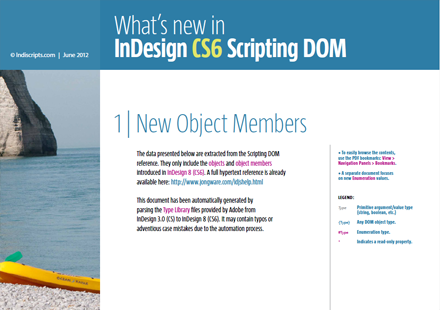
So What's New in InDesign CS6 Scripting DOM
June 06, 2012 | Extras | en
InDesign CS6 is full of new features, which explains the size (98 pages) of the Object Members part in our tracking-change PDF below. Of course many additions regard interactivity, form behaviors and the related events. The Scripting DOM now includes the following ubiquitous collections: checkBoxes, comboBoxes, listBoxes, radioButtons, signatureFields, textBoxes. A number of existing objects have been extended accordingly.
Besides, there are many interesting additions to discover and experiment. Have fun!

• See also:
— “So What's New in InDesign CS5.5 Scripting DOM”
— “So What's New in InDesign CS5 Scripting DOM”
ScriptUI Fonts Facts
June 02, 2012 | Tips | en
Skinning a user interface with ScriptUI may be tricky as soon as you want to apply custom fonts to specific fields or controls. Besides the ScriptUI object model does not offer intuitive solutions to that purpose, we also have to cope with a few cross-platform issues…

Improve the Way you Merge Cells in InDesign
April 18, 2012 | Snippets | en | fr
In a recent tutorial from ExpertsGraphiques (in French), Pierre Labbe has demonstrated a GREP-based method to merge two adjacent columns in a table while preserving the corresponding rows. It lies in fact that InDesign does not offer a so basic functionality! The “Merge cells” feature (which you access from the Table menu) is confined to globally merge all selected cells in a single one. Although P. Labbe showed great ingenuity, it seemed natural to investigate a more effective approach…
Cloning and Syncing Objects in ID CS5.5
February 18, 2012 | Extras | en | fr
Factorization is a profound paradigm in graphic design. Of course designers want to focus on newness, and they hate repeat what is already done. But this is a hard battle, because their work is mainly about pattern, analogy, iteration, derivation, and update, so they often have to deal with reusing the same stuff in a different way. Let's go further on this subject.
InDesign Scripting Forum Roundup #2
December 26, 2011 | Snippets | en
As opened in the “InDesign Scripting Forum Roundup #1” article, I will regularly feed this section with recommended discussions and/or snippets which I have contributed to through the InDesign Scripting Forum. Here is the scripting stuff I found specially interesting over the last six months…


How to Detect a “Ghost Item”
October 20, 2011 | Tips | en | fr
A “ghost item” is an anchored / inline page item (text frame, spline item, etc.) which is temporarily hidden because its parent character is in an overset area:

IndexMatic 2.025 | New-Release Notes
October 09, 2011 | IndexMatic² | en | fr
Notice to all indexing experts! IndexMatic 2.025 for InDesign has just been released with an impressive number of new features and goodies: the Hit Report retrieves words and stats before indexing, the Query Editor has been entirely redesigned, queries now allow comments and cross-references, and finally IndexMatic² regular expressions support Unicode properties and five additional metacharacters “you can't live without.”

What Exactly is a Word?
September 04, 2011 | Tips | en
A number of InDesign scripts manipulate words for counting, indexing, or other processing purposes. Given a text container—basically a Story—the InDesign Scripting DOM provides many ways to handle text contents through specialized subclasses of the Text interface: one can easily access to insertion points, character ranges, lines, paragraphs, text columns, styled-text chunks, and… words. Although this concept seems pretty straightforward, I tried to understand a bit better what it really means.
« previous entries - Page 10 of 13 - next entries »

