HurryCover TRY & PRO: The Secret Weapon for Professional Book Covers
March 31, 2026 | HurryCover | en | fr

In the fierce arena of graphic design, crafting a professional book cover can feel like a high-stakes puzzle — complex, time-consuming, and absolutely crucial. Enter HurryCover, your trusty sidekick in Adobe InDesign that’s been speeding up this process year after year. It’s packed with smart features that make each step a breeze, from setup to export, all while keeping printer and print-on-demand quirks in check. Compatible with InDesign 2026 and all the way back to CS4 (✌), this clever script trims down hours of work to just a few clicks.
Here’s a little insider secret: the core HurryCover engine is totally free! The TRY version lets you dive right in — no sign-ups, no subscriptions — just pure cover-managing power. Create, update, tweak metadata, and even auto-reposition your layouts like a pro. You can install it, test it, and use it in professional projects without any annoying restrictions. The only thing missing? The fancy advanced features reserved for the PRO squad. So if you’re on the fence about upgrading, rest easy — HurryCover TRY has your back for smooth, efficient work.
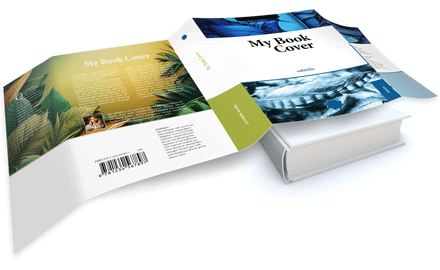
For instance, the ‘basic’ script comes with a metadata panel where you can plug in all your editorial essentials — contact info, title, author, publisher, ISBN, series, description, keywords, you name it. This info syncs up with InDesign’s native metadata and tags along in your PDF exports via XMP. Plus, there’s a neat vectorized footer you can customize with technical details to keep printers and service providers happy. Guess what? No premium subscription needed for that!
One of HurryCover’s coolest tricks is its automatic repositioning magic. Change a dimension — spine width, flaps, height — and hit Update. Boom! All your graphic elements slide into place, respecting their guides and never losing a single piece. Hate manual recalculations? This feature is your new best friend, included right out of the box in the TRY version. And you can switch your cover template anytime — softcover, hardcover, dust jacket — and watch your InDesign document automatically adjust margins, bleeds, guides, and printer marks. Perfect for juggling project tweaks or series without starting over.
The “PRO” Features at a Glance
Hundreds of publishers, printers, and book pros swear by HurryCover PRO, not just for the VIP technical support and automatic updates, but for the powerhouse features that make daily work a breeze. Here’s the scoop:
• Automatic Layout Adjustment
Beyond automatic repositioning, HurryCover PRO can smartly resize InDesign objects that hug the edges or folds of your cover. Tailor it by folds and/or margins, and with a single click, your whole layout adapts.
• Export of Images in PNG/JPEG
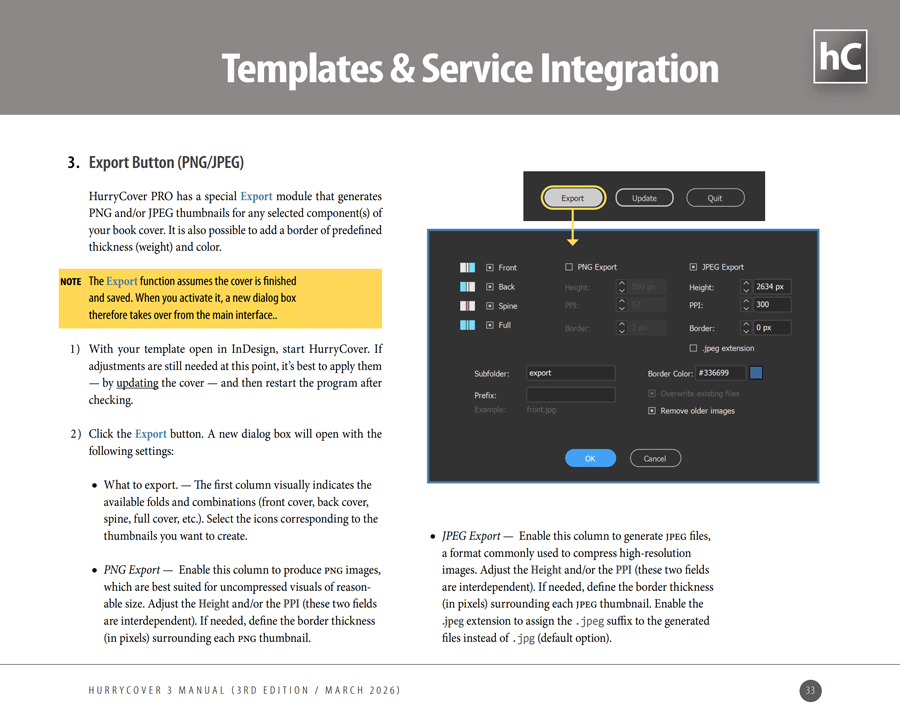
Need quick, high-quality images of your cover parts (front, spine, back, flaps) for promos, client approvals, or digital catalogs? HurryCover PRO lets you export each piece as PNG or JPEG, with fine-tuned control over resolution, size, and border. Fast, sharp, and ready to impress.
• Integration of Print-on-Demand Services
HurryCover PRO speaks the language of major print-on-demand giants like Amazon KDP, BoD, and IngramSpark. It crunches the numbers for spine size, flaps, margins, and more based on binding type, paper, and page count. Think of it as your built-in calculator that guarantees your cover fits like a glove.
No matter the task, HurryCover handles all the nitty-gritty technical details for professional printing: standard margins, spine margin, hinges, wraps, bleeds, trim and fold marks, slugs, and pasteboard. It’s more than just a script, it’s your intelligent assistant turning tedious cover prep into a smooth, speedy, and reliable ride. For designers, publishers, and authors eager to boost efficiency without sacrificing quality, the TRY version is free and ready to roll. And if you want to unlock even more power, PRO is waiting for you!
→ Go to the detailed manual (PDF, 34 p.)

